TCGsight: How Do You Track a Collection and Price Binders?
A card collection is easy to enjoy and surprisingly hard to manage. A few boosters become a trade binder; a trade binder becomes several boxes, duplicate stacks, and a half-remembered list of cards you meant to look up. TCGsight can help bring that sprawl into focus by giving collectors a place to think about collection tracking and binder pricing together.
The trick is to treat tracking and pricing as related—but not identical—jobs. A collection list answers, “What do I own?” A binder price check asks, “What might these cards be worth right now?” Neither question is answered well by a cluttered screen or a number with no context. The best workflow makes the important details easy to spot, easy to verify, and easy to update.
This guide covers a practical approach to using TCGsight, organizing cards for pricing, and judging the interface with the same care you’d give the composition of a favorite card illustration. Because when you’re checking a collection on a phone, readability is part of the value.
Start With a Clean Collection Record
Before you price a binder, make sure you know what is actually in it. That sounds obvious, but collections often contain near-identical printings, different conditions, and duplicates that are easy to miscount. A card name alone may not be enough to identify the version you own.
For each card, aim to record the details that could affect identification or value: the set or printing, quantity, language if relevant, and condition. If a tool offers additional fields, use the ones that help you distinguish your cards—not every field just because it exists. More data is only useful when you can maintain it.
A reliable first-pass workflow
- Sort by game and set. Keep unrelated cards out of the same counting session.
- Identify the exact printing. Check the set symbol, collector number, finish, and other visible identifiers.
- Count duplicates deliberately. A quick recount is cheaper than discovering that a binder total was built on a mistaken quantity.
- Record condition honestly. A clean scan or attractive illustration does not make a worn card near mint.
- Separate unverified entries. If you are uncertain about a version, flag it for a second look instead of treating a guess as fact.
That last step matters. Collection tracking should preserve uncertainty rather than hide it. If you cannot tell whether a card is the regular or alternate printing, an “unconfirmed” note is more useful than a confident but incorrect entry.
Binder Pricing: Make the Number Earn Your Trust
A binder total can be a helpful snapshot, but it is not a guaranteed sale price. Market listings change, conditions vary, and a card’s value can depend on the exact printing. Treat a displayed total as an estimate based on the source and timing behind it—not as a promise of what you will receive in a trade or sale.
When reviewing binder pricing in TCGsight, look at the card-level values as well as the overall total. A single high-value card can make a binder look substantial while the rest of the pages are mostly low-cost staples. Conversely, several modest cards can add up even if no individual entry stands out.
Check Why it matters Good habit Printing Different versions of the same card may have different values. Match set and collector number before accepting a price. Condition Wear can change what buyers are willing to pay. Keep condition notes separate from the card’s identity. Price source and freshness Market data can move, and sources may not agree. Check when the value was updated and what source it represents. Quantity A collection total depends on an accurate count. Verify duplicates, especially for high-value cards.Keep different kinds of value separate
Collectors often use “price” to mean several things: a recent market reference, a shop’s buylist offer, a trade value, or the amount they hope to get from a sale. These are not interchangeable. A binder estimate is most useful when you know which kind of number you are looking at.

For a trade, agree on the pricing source before comparing totals. For a sale, account for fees, shipping, and the time it takes to find a buyer. For personal tracking, consistency may matter more than choosing the one source that happens to show the highest number. The goal is not to make the collection look expensive; it is to make your decisions better informed.
Read the Card UI Before You Trust the Total
Collection tools are information interfaces, not just card galleries. A useful card entry should make the essentials easy to distinguish: card identity, printing, quantity, condition, and price. If those details are crowded together—or if the value is visually louder than the card version it belongs to—you are more likely to make a bad update.
Good information hierarchy gives the eye a clear route. The card name and image identify the item; set and printing details confirm it; quantity and condition describe your copy; price supports a decision. The interface should not force every label to compete at the same volume.
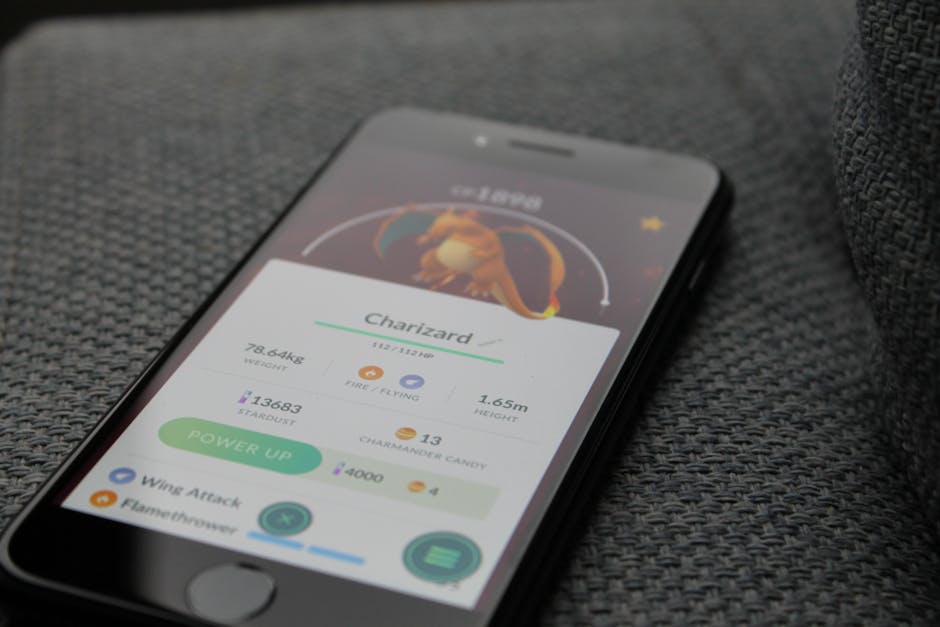
This is where a little visual judgment helps. I have paused mid-play to screenshot both lovely composition and truly punishing text contrast. A compact layout can be efficient, but tiny gray labels on a busy card image are still tiny gray labels on a busy card image. When checking a binder on a phone, open the entry and confirm the details rather than relying on a thumbnail alone.
Illustration Composition Has a Job, Too
Card art does more than decorate a collection page. Composition and character placement help a card read quickly. A face, weapon, or focal creature placed clearly in the frame gives the eye somewhere to land. If the important subject is lost against effects or decorative framing, the illustration may be harder to recognize at small size—even when it is beautifully rendered full-screen.
Character placement and visual focus
Strong character placement creates a readable silhouette and a clear focal point. That can make a card easier to identify when you are scrolling through a long list of similar entries. It is not a rule that every character must sit in the center; off-center placement can create motion or tension. The question is whether the composition still guides the eye instead of making the subject disappear into the frame.
Backgrounds as world-building
A background can tell you where a character belongs: a ruined city, a quiet forest, a crowded workshop. Those details build a world around the card, and they can make a collection feel like more than a row of isolated portraits. But background detail should support the focal subject. On a small screen, contrast and separation matter. A detailed setting is a strength when it adds context without swallowing the character.
There is no prize for adding more detail simply because the canvas has room. Art that reads at phone scale often depends on clear shapes, deliberate contrast, and a controlled focal point. That same principle applies to the collection UI around it: let the card image breathe, and put the factual details where they can be read without covering the art.
Make Phone-Scale Readability Part of Your Routine
Many collection checks happen between matches, at a shop, or while someone is waiting to trade. That means the phone view is not a secondary version of the experience. If you have to pinch-zoom every card, hunt for the condition, or scroll past oversized art to find the quantity, the interface is adding friction to a task that should be quick.
When using TCGsight on mobile, check a few representative entries before you commit to a full inventory session. Can you distinguish card names from set information? Is the price attached clearly to the right card? Can you change a quantity without accidentally opening an unrelated control? Count the interactions: one tap to open a card, one deliberate edit, one confirmation if needed. If a basic correction takes a chain of taps and holds, take note before entering hundreds of cards.
- Use a stable sort order while entering a set.
- Keep the card image visible, but do not rely on art alone for identification.
- Zoom in when a collector number or finish is difficult to read.
- Review totals after editing quantities or removing cards.
- Do a short test batch before importing or entering a large collection.
Use Community and Deck-Building Tools With a Purpose
Collection tracking gets more useful when it connects to what you actually do with cards. A deck builder can help you think about which owned cards are going into a deck and which are staying in the binder. TCGsight users can start from the TCGsight site and look for its Deck builder resources. Before relying on any tool for a workflow, check that it supports the game and features you need.
Community discussion can help when a card’s identity, version, or practical trade value is unclear. The Discord community is a natural place to ask questions, but bring specifics: a set name, collector number, and clear photo will get you further than “What’s this worth?” Do not treat a community opinion as a substitute for checking the exact printing and current pricing information.
It is also worth comparing the wider ecosystem without assuming that every service does the same job. DotGG and DotGG Premium may come up in conversations about card-game tools or paid features, while QuestDuo may be relevant to players looking for related community or gaming resources. Compare them based on the task you need—tracking, deck planning, or community support—rather than a feature list that sounds impressive but does not fit your routine.
A Note About DotGG Premium Pricing Claims
Common mistake: reporting a specific price for DotGG Premium when the scraped content does not explicitly show one. If the available page text contains no clear price, do not infer a fee, copy a price from an unrelated plan, or state that the service is free. The responsible wording is simple: the scraped content reviewed does not explicitly state a price for DotGG Premium.
Pricing can change, and search snippets or scraped text can omit information. Anyone considering DotGG Premium should verify the current terms on the company’s own official page before subscribing. That kind of precision is just as important as matching the right card printing: a confident immersive cards tap and hold number is not helpful if it has no reliable source.
A Practical Binder-Check Checklist
Before you use a collection total to make a trade, sale, or insurance note, run through this short checklist:
- Are the cards matched to the correct set and printing?
- Are quantities and duplicates accurate?
- Have you recorded condition separately from identity?
- Do you know what pricing source the estimate uses?
- Is the estimate current enough for the decision you are making?
- Can you read the important details comfortably on your phone?
Conclusion: Track Clearly, Price Carefully
TCGsight is most useful as part of a careful habit: identify the card, record what you own, and treat binder pricing as a reference that needs context. A clean collection record makes it easier to find cards, plan decks, and talk through trades. A reliable pricing routine helps you avoid confusing a displayed estimate with a guaranteed cash value.
And the visual side matters. Clear character placement, backgrounds that add world-building without burying the subject, and art that holds up at phone scale all make a card easier to enjoy. The interface should follow the same principle: give each piece of information a clear place, keep text legible, and make routine updates take only the taps they need. A good binder tool respects both your collection and your eyes.